How to Make AI Couple Photos (You + Your Partner) with Tryaiphoto
Want a cozy café date shot or a travel-style picture together—without scheduling a full photoshoot? This guide shows you how to take two simple portraits and turn them into believable, affectionate AI couple photos with Tryaiphoto.
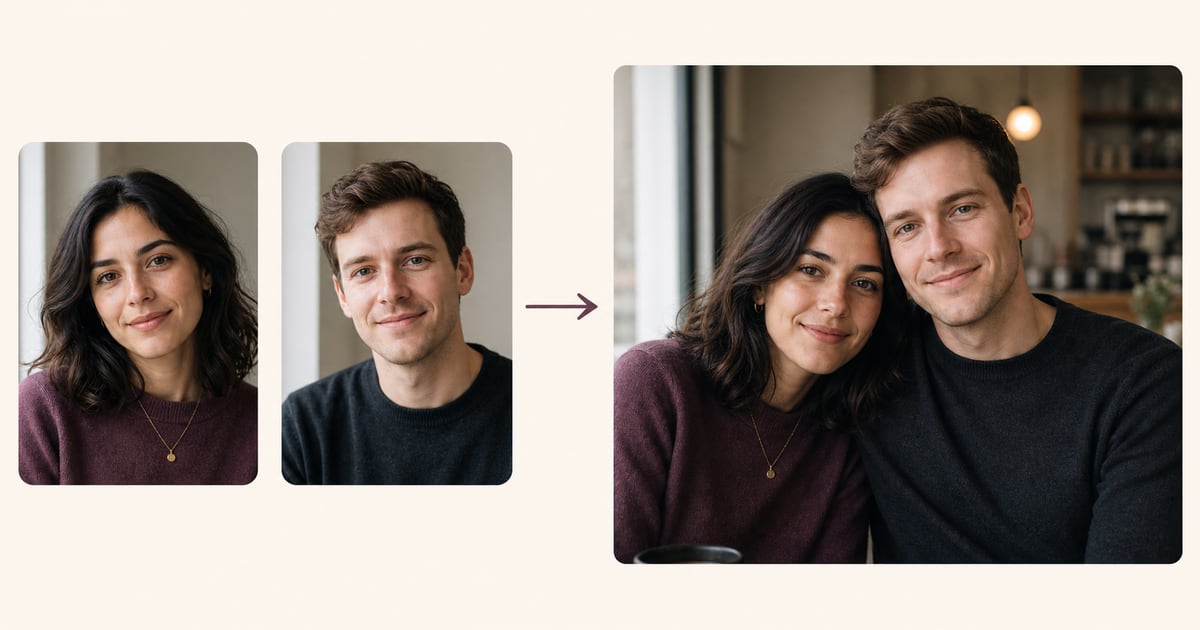
What You Need
Two Matching Portraits
- • Both well-lit (face the same window or soft light)
- • Similar framing (head & shoulders or upper body)
- • Neutral background (plain wall or light blur)
- • No hats/sunglasses; eyes visible
- • Sharp focus; use the largest clean original available
Matching Is Everything
The closer your two source photos match in lighting, angle, and crop, the more natural your AI couple photos will look. Think “same scene, same light”—even if you shoot them at different times.
The 5 Golden Rules for Couple Source Photos
Same Light Direction
If Partner A is lit from the left, Partner B should be too. Mismatched light makes the composite look fake.
Similar Angles
Both looking at camera (or both slightly angled) works best. Avoid one full profile and one straight-on.
Equal Crop & Distance
Keep head size similar. If one face is much larger, AI may scale oddly.
Natural Expressions
Relaxed smiles or soft neutral expressions blend most convincingly.
Clean Backgrounds
Busy patterns confuse the model. Neutral walls or gentle bokeh are ideal.
Lighting That Matches
✓ Good Example: Matched Light

Both faces have soft daylight from camera-left, similar exposure, neutral color, and equal head scale.
✗ Bad Example: Mismatched Light

Harsh cool sun on one face and warm light from the opposite side on the other gives the model contradictory shadow and color cues.
Best Setups (Pick One)
- Window Light: Both stand 2–3 ft from the same kind of window, facing it.
- Overcast Outdoors: Even, soft light—great for skin tones.
- Open Shade: Under a porch/tree with bright ambient sky.
Avoid Pair Mismatches
- Direct Sun vs. Shade: One harsh, one soft = uncanny results.
- Mixed Color Temps: Warm tungsten vs. cool daylight.
- Heavy Backlight: Faces underexposed or silhouetted.
Quick Sync Trick
Shoot Partner A, then mark the floor with tape and copy the exact position for Partner B (same spot, same distance to camera). This keeps perspective and head size consistent.
Camera & Framing Setup
Phone Settings
- Rear camera, highest resolution enabled
- Camera at eye level, 3–6 ft away
- Grid lines on; keep eyes in top third
- Use 3–10s timer or voice shutter
Framing Match
- Head & shoulders centered, small shoulder angle OK
- Keep similar head size in both photos
- Neutral background (plain wall or soft blur)
- Relaxed expression; eyes visible, no sunglasses
Create Couple Photos in Tryaiphoto (Step-by-Step)
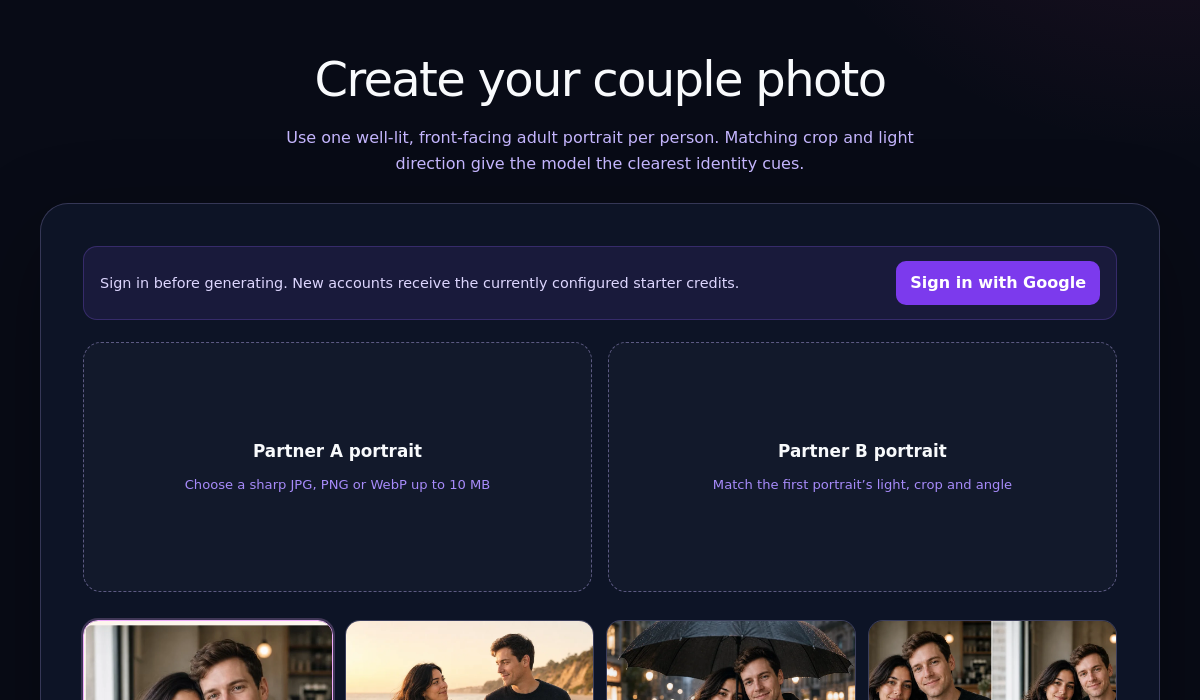
Your two portraits are ready?
Start in the dedicated two-person upload flow and choose the exact style before spending a credit.
Generated Couple Examples
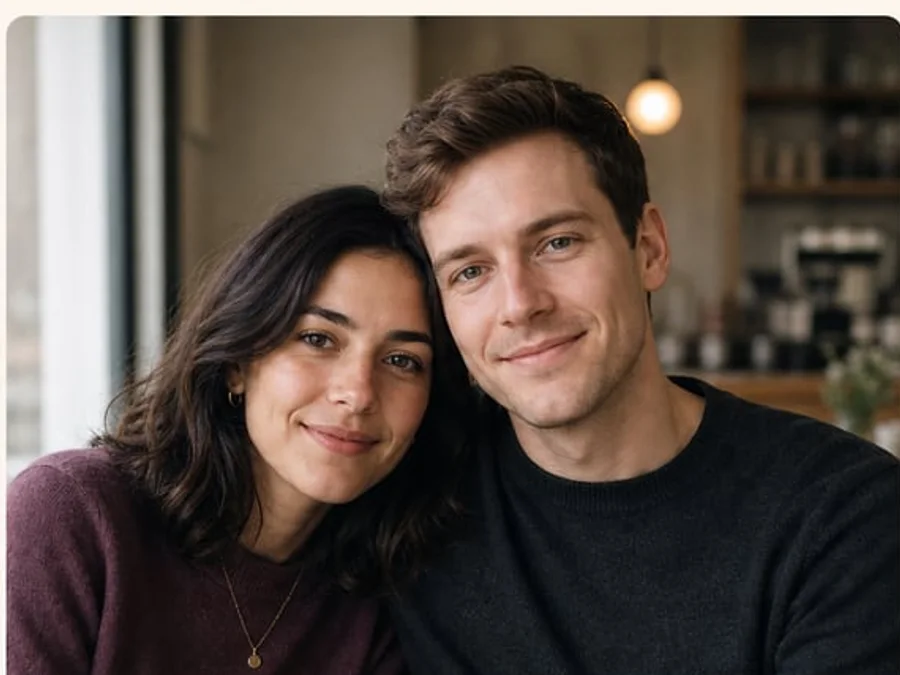
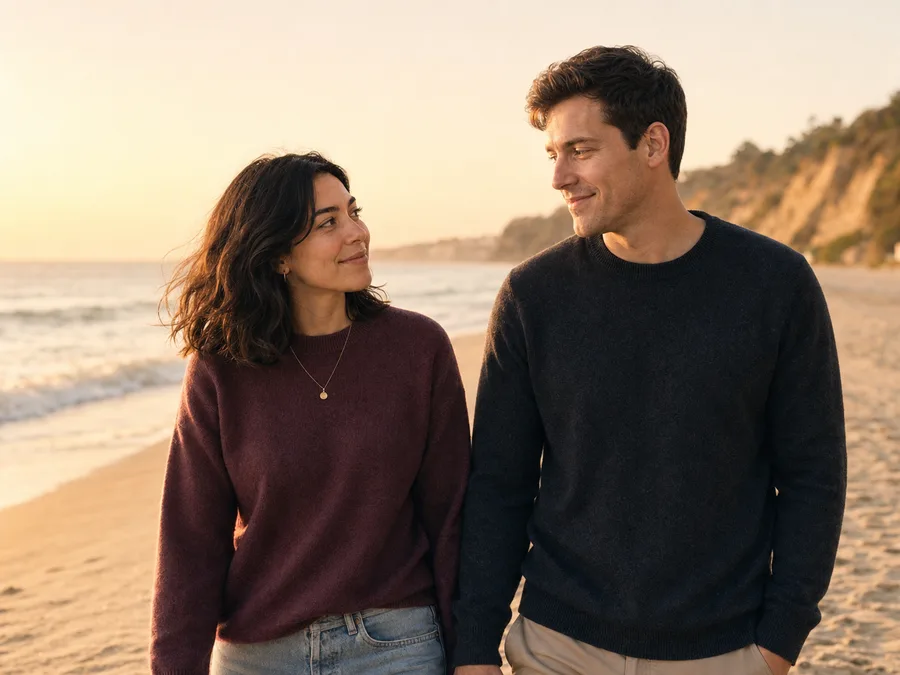
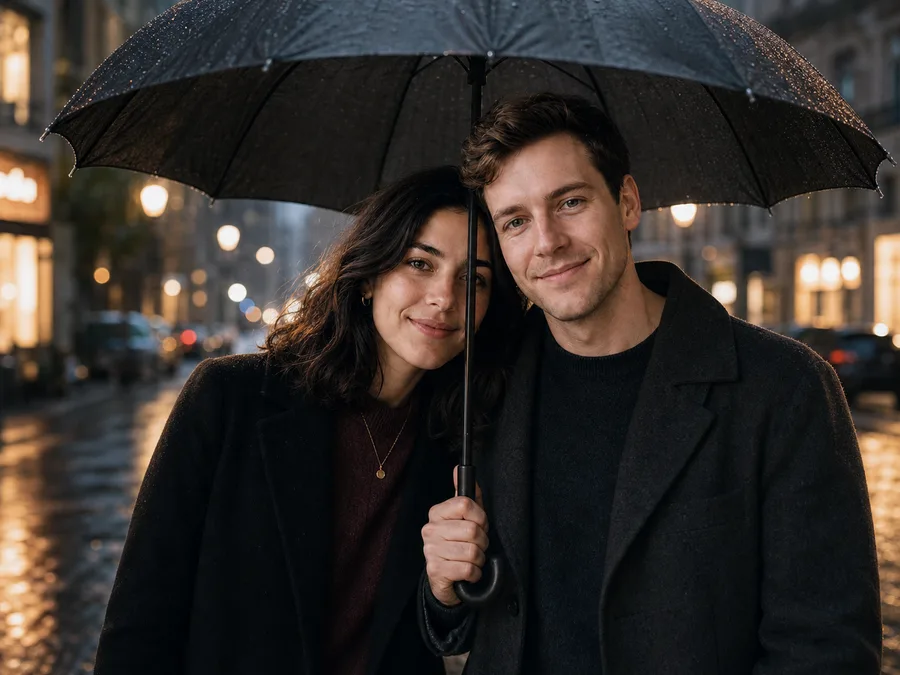
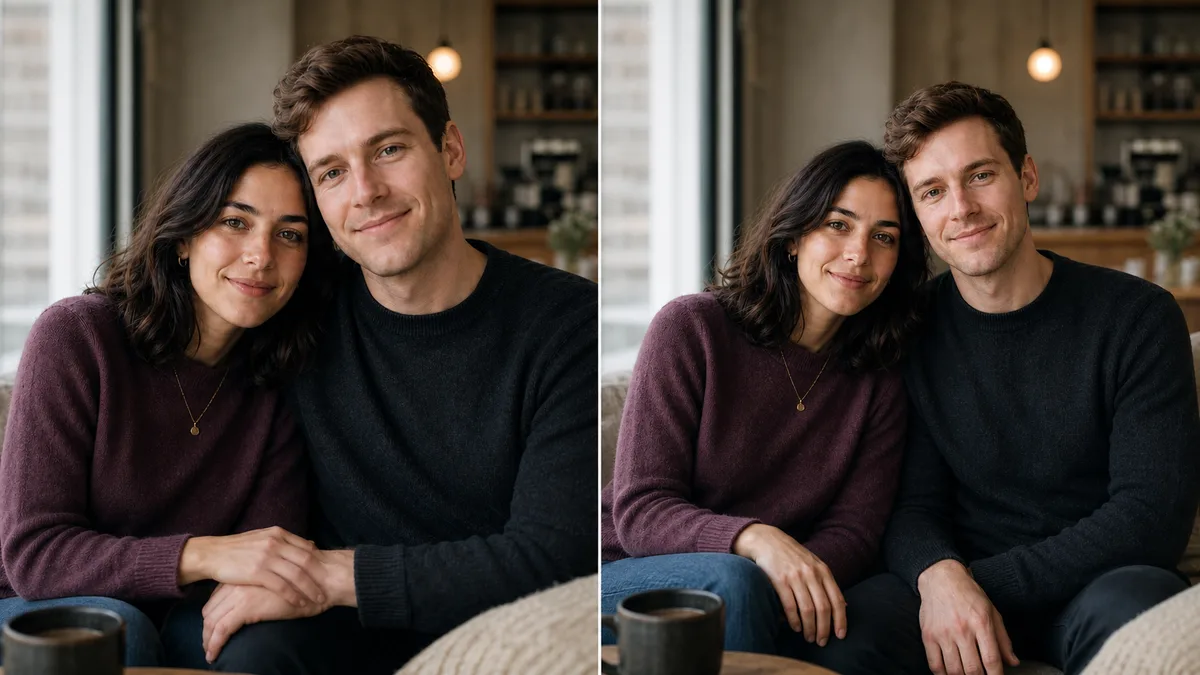
These fictional examples use the same two identities and matched source-photo rules shown above. Changing only the scene gives a useful way to compare likeness and anatomy across styles.
One imperfect result—and the fix
Do’s & Don’ts for Realistic Results
Do
- ✓ Match light direction and angle
- ✓ Keep hair away from eyes; no sunglasses
- ✓ Use neutral clothing colors (less pattern clash)
- ✓ Shoot multiple takes and pick the sharpest
- ✓ Try a few different scene styles for variety
Don’t
- ✗ Mix harsh sun with indoor lamplight
- ✗ Use group photos or busy backgrounds
- ✗ Crop too tight (forehead or chin cut off)
- ✗ Rely on heavy beauty filters
- ✗ Use blurry or low-res images
What the Four Couple Styles Do
Cozy café
A close seated portrait with soft window light, simple hand placement, and a blurred café background.
Golden-hour beach
A waist-up walking scene with warm, consistent light and both people looking naturally toward each other.
Rainy city walk
An upper-body portrait beneath one umbrella with soft storefront light and reflected street bokeh.
Relaxed at home
A shoulder-to-shoulder seated pose with separate visible hands, balanced head scale, and neutral window light.
Why the Styles Are Fixed
The dedicated couple flow does not expose an open prompt field. Each style uses a reviewed scene instruction that tells the model to preserve both identities, show exactly two adults, keep anatomy natural, and avoid text, logos, or extra people.
Troubleshooting & Fixes
Heads Look Different Sizes
Re-shoot to match camera distance and crop; keep eyes at similar scale.
Skin Tones Don’t Match
Ensure same light source/color temp. Avoid warm lamp vs daylight.
Odd Edges or Hair Artifacts
Use simpler backgrounds; move 0.5–1m away from wall for a soft blur.
Hands Look Unnatural
Choose poses without complex hand overlaps or try a tighter crop.
Over-Smooth Faces
Avoid heavy beauty filters in source. Use clean, natural portraits.
Still Looks “AI”
Match light/angle more precisely; try a neutral scene; regenerate variants.
Consent, Etiquette & Authenticity
Always Get Consent
Only use photos of people who have agreed to be included. Share results respectfully and follow platform rules when posting.
Keep It Real
Aim for styles that look like you—natural skin tones, realistic lighting, and comfortable outfits.
Product Details and Frequently Asked Questions
How long does a couple-photo generation take?
Generation starts immediately and the page shows live status. Processing time varies with model demand, so Tryaiphoto does not promise a fixed number of seconds or minutes. Keep the tab open until the result appears.
What does it cost, and how many images do I get?
One generation uses one credit and returns one image. Current credit-pack pricing is shown before payment when you choose “View current pack price” in the generator; this guide does not hard-code a price that could become outdated.
What resolution and file formats are available?
Uploads may be JPG, PNG, or WebP up to 10 MB. The couple flow downloads one PNG. Output dimensions are determined by the image model and can vary, so no fixed pixel size or print resolution is promised.
Can I delete uploads, and are they used for model training?
Tryaiphoto does not use uploads to train its models. In the couple flow, source files are removed immediately after the request finishes. The automatic retention job permanently removes any remaining uploads and generated results within 24 hours. You can also contact support about a privacy-rights request.
What if the likeness or anatomy is poor?
First check that the two sources match in light direction, crop, and angle. Try a simpler style with less hand overlap, or upload clearer portraits and regenerate. Each completed regeneration uses one credit; a server or model failure returns the consumed credit automatically.
Can I print the result or use it commercially?
You can print an output when its actual dimensions are suitable for your intended print size. Any personal or commercial use is allowed only where you hold the necessary rights to both source images and the subject matter. A credit pack does not add a separate commercial-use license, and third-party platform or printer rules still apply.
Can I use old photos of me and my partner?
Yes, as long as the two photos match in lighting, angle, and quality. The key is consistency between the two source images, not when they were taken.
What if my partner and I are in a long-distance relationship?
This is a perfect use case! You can each take a photo of yourselves following the guide (e.g., facing a window in your respective homes during the day) and combine them to create a beautiful photo together.
Will the AI photo look realistic?
Results vary from one generation to the next. Clear, consistent source photos give the model better identity and lighting cues, but Tryaiphoto does not guarantee a particular likeness or an artifact-free result. Review each image before using it.
Final Checklist Before You Generate
Ready to Create Your Couple Photos?
Upload your two best portraits and let Tryaiphoto generate authentic, romantic scenes—from cozy home vibes to golden hour adventures.
One credit creates one PNG; processing time and output dimensions vary
Related Articles
How to Take the Perfect Source Photo for AI Enhancement
Lighting, framing, and focus basics that boost any AI result.
Read more →Best Poses for Dating Photos
Natural, flattering poses for men and women (PG-13).
Read more →At-Home Setup in 10 Minutes
Window light, phone tripod, timer—studio vibes on a budget.
Read more →